What’s needed tomorrow
Mark attendance, lunch and after-school care. The teacher sees up-to-date responses in one place.
These are the family’s plans for the day. Canteen and after-school staff get the information they need.
CALMER TODAY. CLEARER TOMORROW.
Tomorrow’s plans, timetable and required textbooks, class activities and funds — in the app and parent web cabinet for parents, teachers and the parent committee.


Zavtra is available on iPhone and Android · Start with your own class. The school administration can join later.
Already invited? Join your class ↗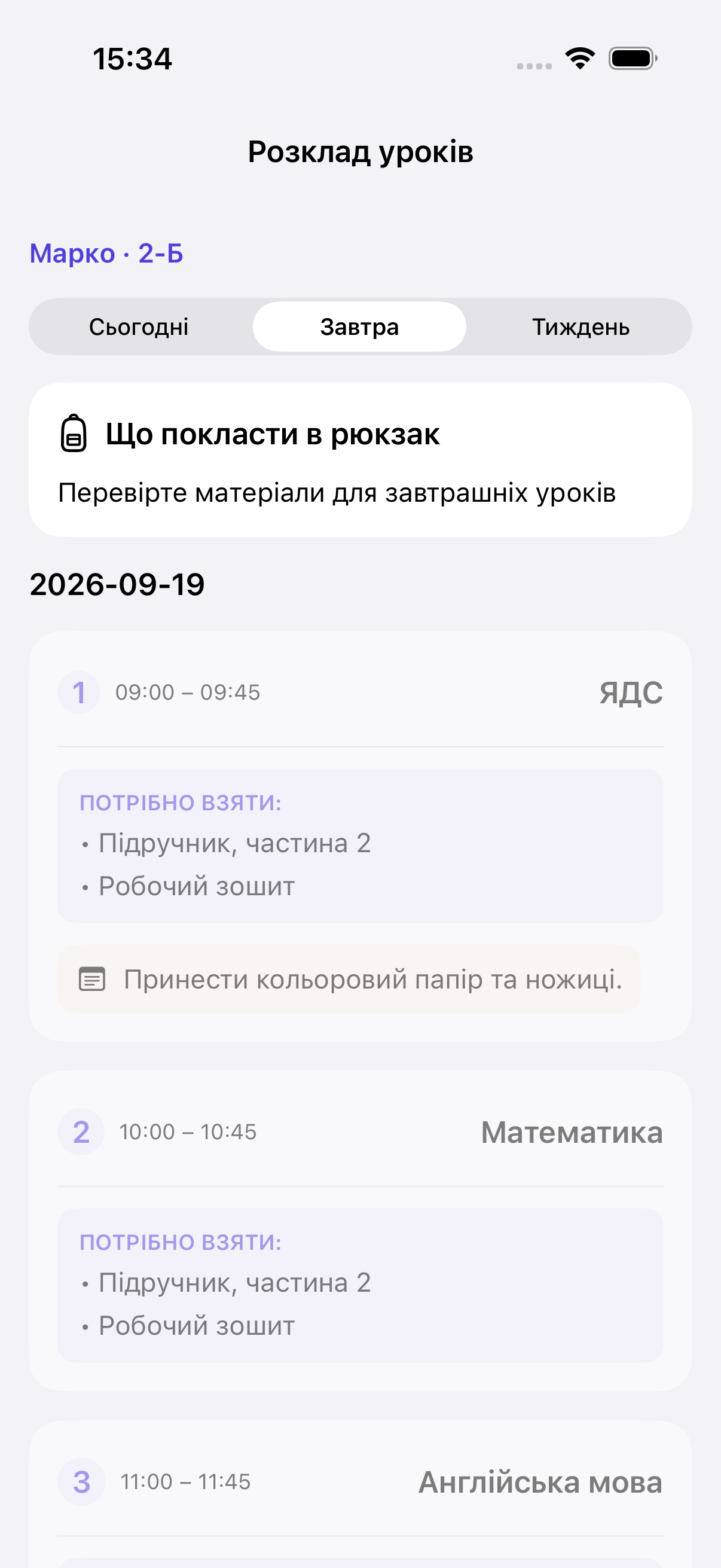
Attendance · Lunch · After-school care
The teacher sees all responses togetherParents ↗ Teacher ↗ Parent committee
EVERYTHING YOU NEED, TOGETHER
Mark attendance, lunch and after-school care. The teacher sees up-to-date responses in one place.
These are the family’s plans for the day. Canteen and after-school staff get the information they need.
See the timetable and specific textbooks, workbooks and materials for each lesson. The right textbook volume for integrated studies, the right workbook for maths.
The teacher or an authorised participant sets the materials. If the list is not ready, you’ll see “Materials not specified yet”.
Water, a trip or a celebration: organise requests, polls and events. Track class collections and expenses, and attach receipts.
An app for the parent committee with activity statuses and history. Class fund records without public lists of family contributions.
HOW TO START
For parents, teachers and school teams
Choose the school and academic year. Organise your class without school administrator permissions.
Add participants and invite parents and the teacher.
Tomorrow’s plans, the timetable or class activities — choose what helps today.
Available on the App Store and Google Play
Sign in or register, create a class and invite participants. The initiator role is assigned after the class is created.
Download Zavtra on the App Store or Google Play. Leave a request if you need help connecting your class.
Join an existing class with a personal link or code. You do not need to create a new class. If you do not have an invitation or it does not work, ask the class representative or teacher to send a new one.
After joining, confirm tomorrow’s plans in the Zavtra app or the parent web cabinet.
DIFFERENT ROLES. SHARED PEACE OF MIND.
Know what’s on for tomorrow and what to pack — in the app or the web cabinet. Important class matters stay close at hand.
Requests, polls, events, collections and expenses — with statuses and history.
Tomorrow’s plans and the materials needed for lessons — without repeated explanations in chat.
A workspace for classes, participants, invitations and daily processes.
FOR SCHOOLS
Connect the school workspace, set up classes and permissions, and invite participants. For a class already created by parents, use verified management transfer to preserve participants and history.
A directory entry does not mean a school is officially connected. The school and its administration require separate verification.
Connect your school ↗Sign in to the school cabinet ↗
Having trouble registering? Apply on behalf of your school ↗
TRUST STARTS WITH BOUNDARIES
Access depends on your role. By default, parents cannot see other families’ private contributions. Marketing analytics receives no child, learning or contribution data.
Yes. A parent committee representative creates a class, selects the school and invites participants. This does not grant school administrator permissions.
No. Use your invitation to join the existing class.
Yes. Management can be transferred to a verified administration while preserving data and history.
The teacher or a participant with the right permissions sets materials for each lesson. Zavtra shows them to parents.
You can record collections, contributions and expenses with receipts. This is not a bank account or an automatic payment collection service.
Access depends on your role. By default, ordinary parents cannot see other families’ private contributions or lists of those who have not paid.
Education arrangements and participation in committee activities are configured separately. Learning information and school announcements remain available.
No. Zavtra helps organise everyday class activities.
Zavtra is available on iPhone and Android. Download the app on the App Store or Google Play. Parents can also sign in to the web cabinet and confirm tomorrow’s plans.
In the Zavtra app on iOS or Android, or the parent web cabinet on the site. Sign in with the email used in your class invitation.
Zavtra is currently free to use. If paid features are introduced, their terms will be published separately.
MAKE TOMORROW SIMPLER
Zavtra is currently free to use
LET’S TALK?
Leave a request — our team will help you get connected.
An adult’s contact details only. Do not include children’s information.